Tuesday, 29 September 2026

A walkthrough of Anthropic's official prompting guide for Opus 5.5, condensed into 12 practical tips. The big changes: medium is now the recommended default effort level, switching effort mid-conversation no longer wipes your prompt cache, Claude Code now reads agents.md, and asking the model to show its reasoning can now be refused outright as "reasoning extraction." Several tips address new quirks in long-running agent work, like the model ending its turn before a task is actually finished.
- Anthropic now recommends starting at medium effort on Opus 5.5 as the best balance of performance and speed, and only raising it when output quality demands it; you can also have Opus run one of your real tasks at every effort level and compare results side by side to pick your own default.
- Claude Code now reads agents.md, the instructions file used by tools like Codex, so if a folder has no CLAUDE.md it falls back to agents.md — meaning users of multiple coding agents can keep a single instructions file instead of syncing two.
- Changing effort settings mid-conversation used to wipe the cache and force Claude to reread everything, costing tokens; with 5.5 the cache is preserved, though the feature is still in beta.
- Claude now banks usage resets (Settings → Usage → Resets); the 5.5 launch granted one free reset, best saved until you actually hit your limit, and the launch one expires on 23 October.
- Prompts asking Opus 5.5 to write out its reasoning before answering can now be refused with a "reasoning extraction" refusal reason — the speaker reads this as Anthropic blocking distillation of the model by competitors.
- In long chats Opus 5.5 sometimes revisits its earlier answers while thinking; adding a line or two to CLAUDE.md telling it to treat earlier answers as settled, or making a skill for it, fixes this.
- On long tasks 5.5 sometimes ends its turn on a progress update and treats the job as done, so asking it to maintain and check off a task checklist makes full completion more likely.
- Speed can be steered directly: give a time budget ("finish this in 3 minutes") and it paces itself, or just add the words "time matters" to the prompt, which Anthropic's testing showed made agent teams finish sooner.
- Opus 5.5 falls back on the same default web design look by intent, and asking for something "less generic" only swaps one default for another — supply an actual design system or list styles to avoid.
- For dense images like technical drawings, give the agent cropping/zooming tools such as the Python libraries PIL and OpenCV and send the highest-resolution image; it crops to what it needs, which also lowers token usage.
A concrete behavioral change that breaks existing system prompts, plus a plausible explanation for why Anthropic did it.
You'll get this type of error where the refusal reason simply states as reasoning extraction. Now, very clearly, Anthropic is doing this to prevent other companies from distilling Opus 5.5.
The most immediately actionable tip in the video — a two-word prompt addition Anthropic says measurably speeds up completion.
You can say to finish the task in 3 minutes, and it would pace itself to hit that time limit... one of the best things to do is to add the words time matters into your prompt.
A lot of what worked on previous models is now either costing you more or slowing you down.
Prompting Opus to make it look less generic just swaps one default for another.

8 Jev Use Cases That Feel Like Cheating
Matthew Berman explains Jev, a newly released AI that isn't a text generator but a very fast, very cheap decision-maker: you give it structured JSON questions plus criteria, and it returns true/false-style judgments with confidence scores. He argues its edge is throughput and latency (4.2 cents per million input tokens, free output tokens), then walks through eight community-built demos: an AI-slop detector, an ad/slop blocker browser extension, Zapier automation steps, instant email prioritization, fuzzy find-in-page, dynamic UI assembly from a preset component library, 90-minute video clipping in under two seconds, and toy demos for color palettes and emoji matching.
- Jev takes structured JSON input — an instruction, plus explicit criteria for what counts as true and false — and returns a probability; the demo asks 'is hot dog a sandwich?' and gets 73% true.
- It is explicitly not a text generation or coding model: don't ask it for advice or to write code, only for decisions where you can supply clear context and structured questions.
- Pricing is 4.2 cents per million input tokens with unlimited free output tokens, and new users get $5 in credits, which is what makes high-volume decision-making viable.
- The chess analogy frames the value: a frontier reasoning model would beat Jev with unlimited time, but under a clock Jev wins because it decides almost instantly.
- A slop detector rated Anthropic's own site 26% AI-written and broke down which sections triggered the judgment and why.
- The 'Unclutter' extension sends every element on a loading page to Jev with criteria for spammy or annoying, then strips ads, cookie banners, and upsell dialogs nearly instantly.
- Practical speed-unlocked demos included 100 emails prioritized in under half a second, fuzzy (non-keyword) find-in-page from a Google PM, and Clipfast turning a 90+ minute video into downloadable clips from a text query in under two seconds.
- Although it can't write code, Jev can dynamically assemble a webpage in under a second by selecting from a preconfigured library of buttons, input fields, and fonts rather than building from scratch.
It's the clearest explanation of the input format and why structured criteria, not prompting, are the core skill for using Jev.
Is hot dog a sandwich? Okay, you give it criteria, basically how to think about the question, how to know whether yes it is or no it's not a sandwich... 73% true. So it would resolve as true here.
A single analogy that reframes Jev's value as latency rather than intelligence, which explains every demo that follows.
If you put Jev up against a frontier model in a game of chess with a time limit, Jev will most likely win just because the other model takes so long to process each step and Jev can make a decision nearly instantly.
It is a new type of artificial intelligence that is basically just a really awesome decision maker.
We checked Anthropic's site and it is 26% AI slop. Mostly handmade, mostly humans, but there is some slop there and that's to be expected.
Jev is 4.2 cents per million input tokens and free for output tokens. Unlimited output tokens absolutely free.

A former Google engineer argues the AI buildout has far outrun its revenue: roughly $725B in 2026 capex from five hyperscalers against about $25B in global AI services revenue last year. She stacks up the evidence of strain — collapsing free cash flow, power grid limits, failed enterprise pilots, rolled-back customer service agents, and legal liability from hallucinations (the Deloitte Australia report). Her conclusion is that the bubble is financial, not technological: AI survives like the internet did after dot-com, but the money will shift toward people who can verify and own AI output rather than just generate it.
- Microsoft, Amazon, Alphabet, Meta and Oracle are on track for about $725 billion of AI capital expenditure in 2026 — up 77% in a year from roughly $162 billion in 2022 — while global AI services revenue was around $25 billion last year, roughly $0.25 back for every $10 spent.
- The spending is no longer funded by spare cash: JP Morgan estimates AI capex went from about a third of hyperscaler operating cash flow in 2023 to roughly 93% in 2026, with combined free cash flow falling to about $7 billion in Q2 2026 from $60 billion at the end of 2025 and expected to go negative.
- DeepSeek's cheaply trained competitive model in early 2025 wiped roughly $600 billion off Nvidia's value in a single day — the largest one-day loss for any US stock — and forced investors to ask what the spending actually buys.
- Physical limits are binding: data center electricity demand rose 17% in 2025 (the AI slice closer to 50%), data centers now drive about half of new US electricity demand growth, and Gartner projects power shortages could constrain 40% of AI data centers by 2027.
- An MIT report found ~95% of enterprise generative AI pilots showed no measurable ROI, though the speaker notes the caveats: a six-month window, many marketing use cases, and internally built tools succeeding about a third of the time versus two-thirds for vendor tools.
- Amazon's internal 'Kiro Rank' leaderboard scoring engineers on AI usage led to 'token maxing' — agents pointed at made-up tasks to run up token counts — inflating Amazon's compute bill until the leaderboard was killed in May 2026.
- Liability is the real reason agents get switched off: a survey of 2,500+ enterprises found ~74% rolled back live AI customer service agents, and Deloitte had to refund part of a ~$440,000 Australian government report that cited nonexistent papers and a fabricated judicial quote.
- Hallucinations remain stubborn — a 2026 benchmark of 37 models found made-up answer rates of 15% to 52%, with some newer reasoning models worse than older ones, and Stanford put legal-question hallucination at 58–88%; insurers are now writing AI exclusions.
- Career advice: don't confuse the bubble with the technology, ask whether a tool would survive AI getting 10x more expensive, become the person who owns and verifies output rather than produces it, and move toward AI security, integration and evaluation work.
It states the core financial mismatch that the entire argument rests on, in a single comparison.
Big Tech is expected to spend around $725 billion on AI this year. Meanwhile, the entire global market for AI services generated only around $25 billion last year.
A concrete, specific example of AI adoption metrics backfiring inside one of the biggest tech companies.
Engineers started pointing AI agents at pointless made-up tasks purely to run up their token counts and climb the board, a move the industry has coined token maxing... a senior VP had to send around a note saying, 'Please don't use AI just for the sake of AI.'
For every $10 these companies are pouring into AI infrastructure, they're getting back only about $0.25 in revenue.
Capital moves at the speed of markets and power plants move at the speed of permits and construction.
Become the person who owns the output, not the person who produces it.
The dot-com crash didn't mean that the internet was fake, but it meant the money had run way ahead of the value.

A walkthrough of how to use Jev (a cheap, fast "decision model" sold by TypeSafe) rather than a chat LLM for the small fuzzy judgements inside software: routing tickets, classifying reviews, verifying claims. At roughly 4.2 cents per million input tokens and ~150ms latency, calls that were previously too slow or expensive become viable at scale. The video organises the space into five use-case categories, three decision types (null, choice, score), ten decision shapes, and four design patterns, then assembles them into a sample customer-support flow.
- Jev is framed as a decision model, not a chat model: you give it context plus a question and it returns something your code can branch on, not prose.
- Pricing of about 4.2 US cents per million input tokens with no output charge means a million 1,000-token requests costs roughly $42, which is what makes per-record and per-line checks practical.
- TypeSafe groups the opportunities into five categories: automation, real-time applications (Jev has been shown powering gameplay in Doom at ~150ms), large-scale data processing, verification, and harness engineering.
- There are three decision types: null returns a yes/no probability, choice picks from a supplied set, and score places the answer on an ordered scale; all return confidence signals you can act on.
- Ten decision shapes describe the job being done: classification, detection, scoring, routing, search, retrieval, ranking, verification, feature extraction for non-generative ML models, and structured data extraction.
- Search, ranking and retrieval are distinguished clearly: search finds candidates, ranking orders them, retrieval supplies what the next step needs.
- Four design patterns: speculative fan-out (ask all plausibly useful questions in one request since 10 questions cost nearly the same time as one), confidence-gated routing, composite scoring with weights you control, and intent routing at the entrance to multiple handlers.
- The speaker warns that you still need your own permission checks, confirmation rules and business logic; don't just trust the decision model's output.
- To get started: take a workflow you already understand, find where software must interpret fuzzy natural language, ask the smallest useful question, and decide what happens when the answer is uncertain.
The concrete cost math is the whole argument for why these fuzzy micro-decisions can now be run across entire collections of records.
Let's suppose a request uses a thousand input tokens, including the context and the questions. If you run a million of those requests, it would only cost you $42 in Jev token charges.
A counterintuitive but immediately actionable design rule: over-ask in one request and discard the answers you don't need.
That's why it's called speculative — because the time it takes to ask one question versus 10 questions in a single request is virtually the same. So you're better off to ask the questions that you might need to avoid a series of round trips with the model.
Jev isn't a chat model, it's a decision model. You give it some context and a question and it returns an answer that your software can act on.
That probability matters because a result near halfway means the model is uncertain about yes or no.
A quote can exist and still be used to make the wrong claim.
Don't just trust what this decision model is going to tell you. You still need to properly secure and gate everything on your own side using your own business logic.

7 Jev Repos That 10x Claude Code (Free)
A walkthrough of seven free, low-star GitHub projects built around "Jev" (a non-language, decision-only AI model the creator says makes calls 40–200x faster than LLMs like GPT or Claude). The picks include a morphing UI text box (Shapeshift), a voice-controlled browser, a computer-use tool, an ad blocker, an MCP server that gives Claude Code judgment tools, a live "BS meter," and shipwithjev.com as an idea repository. The framing throughout: Jev is not a Claude replacement — keep Claude/Codex for planning and inference, and hand Jev the fast, binary, probability-scored decisions inside automated workflows.
- Jev is pitched as a model that doesn't generate text — it assigns probabilities to outcomes, which removes the inference step and collapses latency on decision-type tasks.
- Shapeshift is a text box that morphs into a UI in real time (calendar event, timer, color picker, calculator) as you type, demonstrating the speed advantage; the creator suggests the same latency could trigger things like automatic trade orders.
- The Jev Voice Browser executes browser commands as you speak them, versus the multi-second lag of voice control through ChatGPT, Claude, or a home assistant.
- The computer-use repo (by a developer named Aaron, ~955 stars) predicts where to click from the command instead of screenshotting and predicting from an image, cutting a step from roughly 5 seconds to 0.3 seconds.
- Quoted economics: about $0.042 per million output tokens versus roughly $5.25 for Opus — around 119x cheaper per input token, 155x cheaper per decision, and 14–40x faster (0.13s vs 5.2s per command).
- The MCP tool is the one the creator uses most: it exposes verify, screen, find, and decide to Claude, each returning a typed probability in 150–500ms for a fraction of a cent; a live verify call cost $0.000023.
- The real value is in end-to-end automated workflows, not chat — examples given are scanning thousands of sales contacts for fit scores before handing off to an LLM, and a high-frequency trading bot making buy calls at 91% probability in 400–500ms.
- JevMeter scores live speech for BS in real time (demoed on a presidential debate), which the creator speculates could apply to prediction markets like Polymarket, live-stream analysis, and webinar language testing.
- shipwithjev.com collects community ideas by build type; the suggested hack is to paste the URL plus your personal context file into Claude Code and ask which ideas fit your skills and existing business.
This is the concrete claim the whole video rests on — why a non-speaking model beats a frontier LLM on clicking, pricing, and speed.
Because of the way Jev thinks, instead of taking 5 seconds, it only takes 0.3 seconds because it predicts where to click next based on the command that you've given it... on a cost per decision basis, it's 155 times cheaper than Opus.
A real demo with a real price tag, followed by the clearest explanation of where Jev belongs — inside multi-step automated workflows rather than chat.
I just asked Claude to use the Jev MCP tool and show me the cost for each call... it gives me a confidence score, a verdict based on the preset criteria. And that cost me 0.000023.
Just to be clear, I don't think Jev is a replacement for Claude. I think it's an aid.
Anything that's able to be distilled into a binary outcome, Jev is probably going to do well.
If you're still a little bit confused... it's just a way to speed AI up and save money whilst you do it.

Owain Lewis walks through Jev, a "system one" model from Type AI that isn't an LLM: you send it a prompt and get back a typed, probability-scored answer instead of free text. He demos its three primitives (yes/no, choice, score) in Python, then shows real builds — support-ticket triage, an email classifier via Claude Code, a Codex model router, and a Bitcoin trading toy he admits is a bad fit. His verdict: at high volume it's dramatically cheaper and faster than an LLM (about $0.09 vs $14-29 to classify 5,000 emails), but not worth the added complexity for low-volume local work.
- Jev is not a large language model — it's a "system one" fast-decision model that returns a fixed schema with probabilities and confidence scores rather than generated text.
- The two use cases the presenter would actually reach for are routing and classification, both extremely common inside AI systems.
- The model exposes three primitives: a yes/no boolean (returns a 0-1 score, with 0.5 as the cutoff), a choice (pick one of a defined set of labelled categories), and a score (rate something on a spectrum, e.g. how blocked a customer is).
- Getting started needs an API key from either the Type AI console/playground or OpenRouter, plus the Type SDK in Python.
- A support-ticket demo classified a production outage as "engineering" and "critical" with 100% probability on both dimensions, showing the pattern for triaging tickets or GitHub issues.
- A Codex router skill combines a markdown skill file with a deterministic Python script that calls the Jev SDK, picking a high-reasoning model for a code review and a cheap low-reasoning model for a routine task.
- Cost comparison for classifying 5,000 emails: about $0.09 with Jev, around $2 with Claude Haiku, and $14-29 with Opus — the presenter calls it roughly a 30,000% difference.
- The honest caveat: for local, low-volume work just use an LLM; Jev only pays off when you're running thousands of classifications or routing decisions a day in production.
- He flags the Bitcoin buy/hold/sell trading demo as a bad use case, since deterministic code would do it more efficiently.
The concrete pricing and throughput numbers are the whole argument for using this model over an LLM.
You can see the cost of 5,000 emails with Jev is $0.09. Whereas with Haiku, this is going to be about $2... but then if you go up to something like Opus, you can see here we're paying like $14 to $29 to process these emails.
A working example of routing where Jev picks a high-reasoning model for code review and a cheap light model for a routine task, combining a skill file with deterministic code.
If you want to save money with AI, you want to spend less on tokens... you can use an intelligent router to choose which model to use for a particular task.
Jev is not a large language model. This is a completely different type of model.
I would say this is actually a bad use case for Jev because you could probably do this much more efficiently using deterministic code.
If you're just doing things on your local computer, you're not using this at high volume, it's probably not worth the complexity of adding something like Jev to your setup.
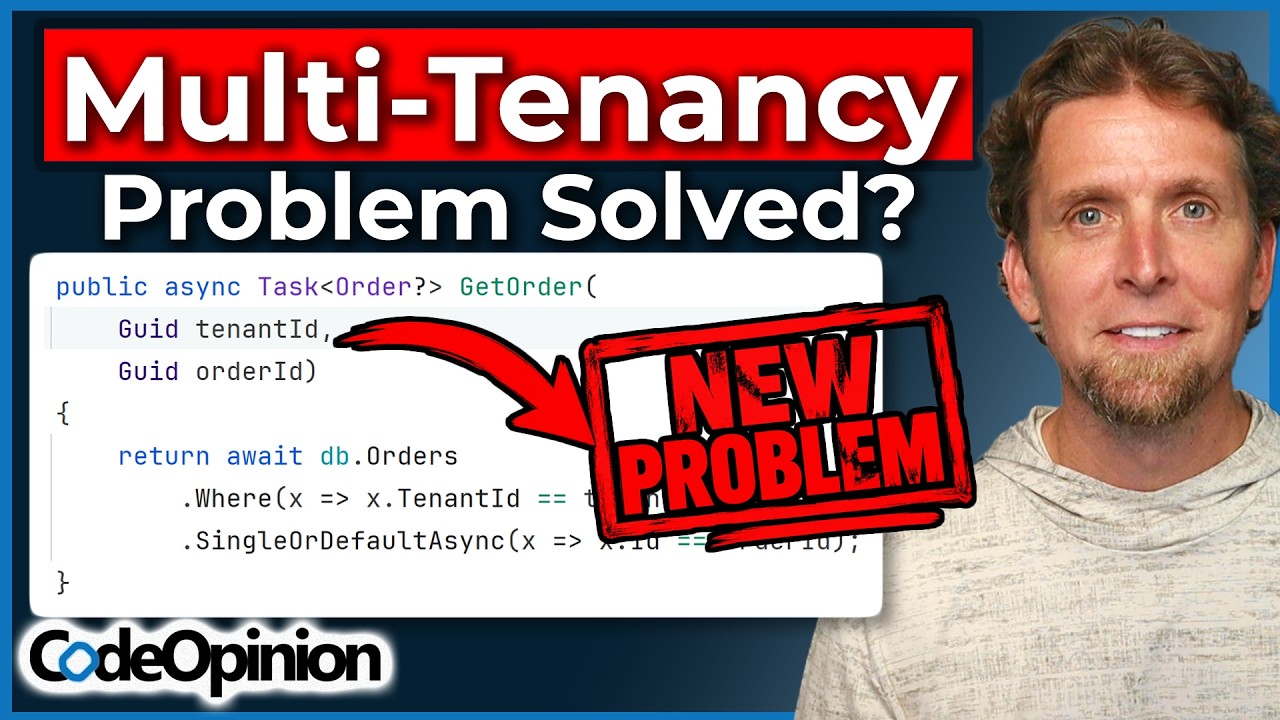
Derek Comartin argues that multi-tenancy "best practices" (don't pass the tenant ID around, use ambient context, use global query filters) aren't wrong, but they're usually stated without their trade-offs. Every fix just relocates complexity: an ambient tenant context breaks when you cross from HTTP to a background message processor; automatic query filtering forces you to build a dangerous cross-tenant escape hatch; per-tenant feature flags eventually turn into modules and deployment complexity. The better question isn't "what's the right pattern" but "where does the tenant ID come from, and where should it be explicit vs. implicit?"
- The opening failure mode is a silent one: an HTTP API queues a message, a background job processes it, nothing errors, but the work executes for tenant B instead of tenant A because the ambient tenant context didn't carry across process boundaries.
- An ambient tenant context solves the pain of passing the tenant ID around, but creates a new problem: the context has to be rebuilt every time you cross from one execution context (HTTP) to another (message handler, background task).
- Passing the tenant ID explicitly everywhere is noisy and repetitive, but it's visible in logs, requests, messages, and the database — the noise is the point.
- Automatic isolation in a shared database (global query filters, row-level security) is a safe default with hidden behavior, and real systems still need intentional cross-tenant queries for reporting, admin, and analytics — which forces an escape hatch that is itself dangerous.
- With a database per tenant there's no line to cross, but cross-tenant reporting requires querying each database individually or aggregating into a separate global database.
- Per-tenant features often start correctly as configuration or feature flags, then evolve into modules with their own implementation, versioning, and deployment — trading conditional complexity for structural complexity.
- The recurring pattern across all examples: complexity is never removed, only moved, which is why blanket rules about multi-tenancy ignore the actual question of what you're trading.
- The useful questions to ask are: where does the tenant ID originate, where must it be explicit (visible), and where is it safe for it to be implicit (convenient)?
A concrete, silent failure that shows exactly how an ambient tenant context breaks when work crosses from HTTP into a background queue processor.
Everything succeeded. There were no exceptions, no failed database calls, no errors in your logs. However, something went horribly wrong... that request was supposed to execute for tenant A, but in reality what actually happened is it executed for tenant B.
The clearest worked example of the video's thesis: the safe default forces you to build a dangerous exception you now have to reason about on every query.
We created this global query filter, row-level security, so we didn't have to think about filtering. It was automatic and transparent to us. But it created the problem of we actually did in places need to cross tenant lines.
We didn't remove identity. We just hid it.
You're not removing complexity, you're just moving it.
That's why I despise the idea that there's a right way of doing multi-tenancy... Those statements ignore one thing: what are you trading?
When it's explicit, it's visible. When it's implicit, it's just convenient.

Context Rot Is a Harness Problem
A walkthrough of four context-engineering techniques used inside a coding agent's harness — memory files, skills with progressive disclosure, LSP server feedback, and compaction — with implementation details from a from-scratch agent the presenter built. The argument is that degrading agent performance is usually caused by a bloated, noisy context window rather than the model, so swapping OpenAI for Anthropic won't help. Each technique is shown as both concept and code: how memory.md is appended and compressed, how skills load in three tiers, how an LSP server gives cheap syntax feedback, and how compaction and micro-compaction shrink the window at 80% and 60% thresholds.
- Agent mistakes usually come from a context window stuffed with stale files, tool outputs and unneeded history, not from the model choice.
- Memory has two flavors: a manually written agent.md that is injected every session, and an automatically extracted memory.md written as an append-only log of one-sentence summaries with dates, capped at 200 lines / 25KB; memory extraction runs on every quit and clear command, and compression is a summary-of-summaries that the presenter admits doesn't always work well.
- Skills use three-tier progressive disclosure: names and descriptions always sit in the system prompt (optionally capped at ~1% of the context window), the skill.md loads when the skill tool is called, and scripts/references/assets load only if the agent reads them.
- Progressive disclosure is really just 'all the available file paths in the context window plus read tools' — a pattern transferable to other harnesses.
- An LSP server can be wired into the agent two ways: an active LSP tool for definitions, references, hover and diagnostics, and passive diagnostics automatically run after every write or edit tool call, appended to the context as feedback.
- The passive diagnostics loop means the agent gets syntax and compile feedback without having to run the program, so it doesn't have to guess at syntax errors.
- Compaction has three options: clear (blank slate, loses everything), compaction at ~80% usage that replaces history with a summary plus the most recent 'tail' messages, and micro-compaction at ~60% that swaps older tool outputs for placeholders while leaving the tail intact.
- The implementation uses a 'reserve' buffer parameter — 20% reserved translates to triggering compaction at 80% context fill, matching Claude Code's current behavior; the code is part of a free eight-lesson open-source course on building a coding agent from scratch.
Strips a much-hyped mechanism down to its actual, portable implementation in two sentences.
The actual output that the agent sees is the skill.md file plus all the paths to the other scripts or other markdown files or other images that the agent might load if it needs... And that's basically progressive disclosure. It's a combination of having all the available paths into the context window plus read tools.
A concrete, cheap alternative to summarization that targets the biggest actual source of context bloat.
It looks at all your tool outputs, and instead of summarizing anything, it just replaces your tool outputs with a placeholder. And this works really well because your tool outputs are usually the ones that take most of your context window.
When your agent starts making mistakes, it's rarely the model, but the context window stuffed with stale files, tool outputs, and a history the model doesn't need.
Because we force the compression to one sentence, we force the LLM to extract only the high-level information and avoid being too verbose about it.
Basically, the LSP server does all the hard job, and we just put a bridge between the two.